
New: make a private, self-serve RSVP page where only you see the replies. Create your free RSVP page →
Events & RSVP
Free RSVP Page & Online RSVP for Any Event
Your event. One link. Easy RSVPs.
Free event pages for weddings, baby showers, birthdays and any celebration. Share the link, collect RSVPs online, and send guests to your registry.
How it works
Set up in minutes
Sign in
Create a free host account.
Build your page
Names, date, time, venue, your story, a photo and your registry link.
Share one link
Text it, post it, or print it as a QR code on your invitations.
Guests RSVP
No account needed. Yes or no, party size, meal choice and notes.
Registry button included
Paste your Amazon registry link, or a link from any store, and guests get a Registry button on your event page.
Printed invites to match
We print your invitations and save-the-dates with your RSVP link or QR code right on them.
Order matching invites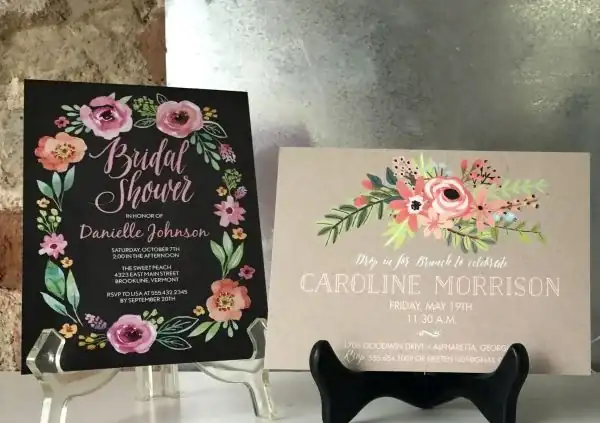
How it works
- Start from a template. Choose from 12 designs: Classic, Modern minimal, Floral, Rustic, Boho, Black tie, Beach, Garden party, Birthday bash, Baby shower, Graduation and Holiday party.
- Make it yours. Add names, date, time, venue, a photo, a schedule, dress code, a map link, registry links and an FAQ. Pick fonts, a button style and a background.
- Ask your questions. Set a reply-by date, the most guests per reply, and your own questions (for example, a meal choice).
- Share one link. Send the guest link by text, email or social media.
- See replies privately. Open your private manage link to see who is coming and download replies as a CSV file.
Templates for every occasion
Start from one of 12 templates: Classic, Modern minimal, Floral, Rustic, Boho, Black tie, Beach, Garden party, Birthday bash, Baby shower, Graduation and Holiday party. Then change fonts, photo layout, button style and background.
Free RSVP pages by occasion
- Free wedding RSVP website
- Birthday party RSVP
- Baby shower RSVP
- Church, reunion and community event RSVP
Tips: How to collect RSVPs online for free.
Private by design
Replies are private to the host. Guest answers are encrypted in the guest’s browser with a key that only the host’s private manage link can open. Gammage Print Shop, which hosts the tool, cannot read replies, gets no notifications about them and does not add guests to any mailing list. Keep your manage link safe: if it is lost, responses cannot be recovered by anyone. See the RSVP page terms.
RSVP page FAQ
Is the RSVP page really free?
Yes. Kindly RSVP is a free, self-serve tool for creating an RSVP page and collecting replies.
Who can see the replies?
Only the host. Replies are encrypted in the guest’s browser and can only be opened with the host’s private manage link. Gammage Print Shop cannot read them.
What happens if I lose my manage link?
Responses cannot be recovered by anyone, including Gammage Print Shop, so save your private manage link somewhere safe.
What kinds of events can I use it for?
Weddings, birthdays, baby showers, graduations, parties, church and community events, reunions and other gatherings. The occasion list includes Wedding, Birthday, Baby shower, Graduation, Party and Other.
Can I ask my own questions?
Yes. You can add your own questions, such as a meal choice, and set the most guests allowed per reply.
Can I get a list of replies?
Yes. From your private manage link you can download replies as a CSV file.
Can I order printed invitations to match?
Yes. Gammage Print Shop can print invitations and save-the-dates. Request a quote or call (229) 924-4029.
Make your free RSVP page
Kindly RSVP is free and self-serve. Pick a template, add your details and share one link with your guests.
Create a free RSVP page